
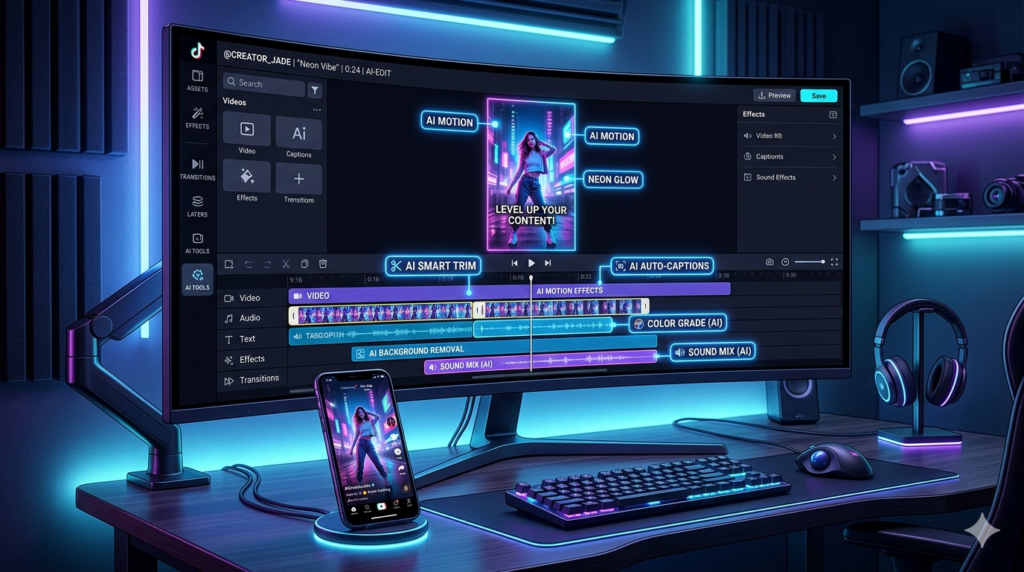
Creating great TikTok content is no longer just about what you film — it is about how fast and how well you edit it. In 2026, AI video editing tools have become essential for creators who want to stay consistent, grow their audience, and produce professional-looking videos without spending hours on editing.
This guide covers the best AI tools for TikTok video editing right now, what each one does best, and how to pick the right one for your workflow.
The Rise of AI in TikTok Editing
Short-form video moves fast. Creators are expected to publish regularly, and the quality bar keeps rising. AI editing tools solve this challenge by automating the most time-consuming parts of the editing process — from cutting silences and adding subtitles to finding the best moments inside a long video.
The result is a faster content pipeline, less manual work, and more time to focus on ideas and creativity. Here is what these tools can do for you:
- Generate captions and subtitles automatically.
- Cut filler words, silences, and weak sections.
- Extract the best clips from long recordings.
- Format videos for TikTok’s vertical layout.
- Improve pacing and visual rhythm.
The Best AI Tools for TikTok in 2026
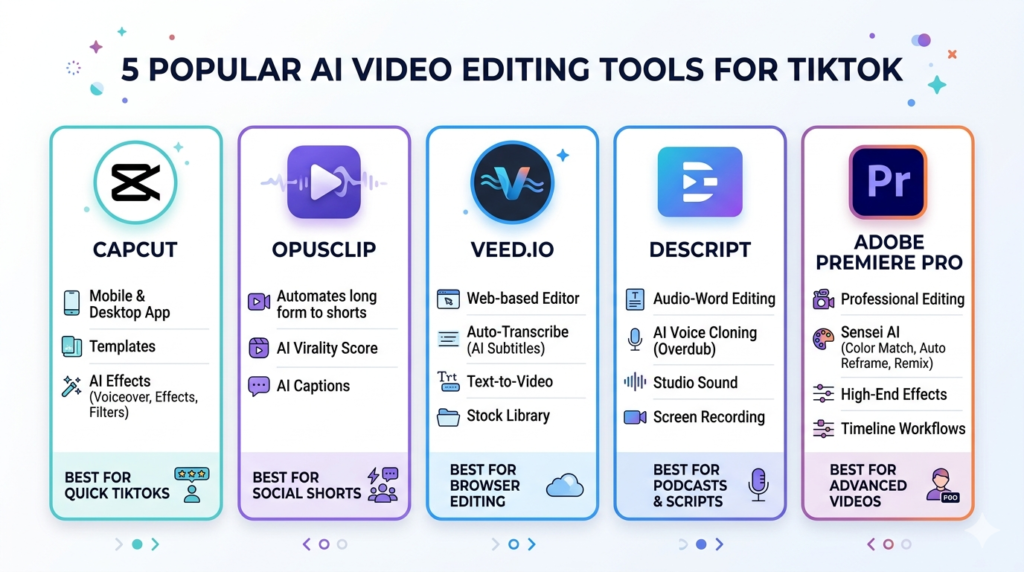
1. CapCut — Best for Daily TikTok Creators
CapCut is the go-to editor for millions of TikTok creators worldwide. It is free, intuitive, and built with short-form content in mind. Its AI features cover everything from automatic captions and voice enhancement to background removal and trending templates.
What makes it stand out is how seamlessly it fits into a TikTok workflow. You can shoot, edit, and export in minutes — all from your phone or desktop.
Who it is for: Beginners and everyday creators who want speed and simplicity.
Highlights:
- Free with a generous feature set.
- Auto captions and subtitle generation.
- Built-in templates designed for TikTok.
- Available on mobile and desktop.
- Regular updates with new AI features.
2. OpusClip — Best for Repurposing Long Videos
OpusClip is one of the smartest AI tools available for short-form content. It takes a long video — a podcast, webinar, interview, or YouTube video — and automatically identifies the most engaging moments. Then it reformats them into vertical clips ready for TikTok.
If you already create long-form content and want to get more out of every recording, OpusClip can multiply your output without multiplying your effort.
Who it is for : Podcasters, educators, coaches, and YouTubers.
Highlights:
- AI-powered clip selection from long videos.
- Automatic vertical formatting.
- Adds captions to generated clips.
- Saves hours of manual editing time.
- Ideal for content repurposing strategies.
3. VEED.io — Best for Browser-Based Editing
VEED.io is a clean, browser-based video editor with strong AI capabilities. It does not require any software download, which makes it a practical option for creators who work across different devices or prefer a lightweight workflow.
It handles subtitles, text overlays, trimming, and basic AI enhancements well — making it a reliable tool for quick but polished TikTok videos.
Who it is for: Creators who want a simple and accessible online editor.
Highlights:
- Works entirely in the browser.
- Strong subtitle and caption tools.
- Clean interface with a short learning curve.
- Good for team collaboration.
- Practical for fast social media edits.
4. Descript — Best for Spoken-Word Content
Descript takes a completely different approach to video editing. Instead of working with a traditional timeline, you edit your video by editing the text transcript. Delete a sentence from the script and it disappears from the video. It is one of the most efficient tools available for creators who work with dialogue-heavy content.
Who it is for: Educators, interviewers, video podcasters, and talking-head creators.
Highlights:
- Edit video by editing text.
- Automatically removes filler words and pauses.
- Strong transcription and subtitle support.
- Cuts editing time significantly for spoken content.
- Useful for both short and long-form video.
5. Adobe Premiere Pro — Best for Professional Creators
Adobe Premiere Pro is the industry standard for professional video editing, and its growing AI feature set makes it even more powerful. While it has a steeper learning curve than the other tools on this list, it offers unmatched control over every aspect of the video.
For creators who produce high-quality content and need advanced tools for color, sound, and motion, Premiere Pro is the strongest option available.
Who it is for: Advanced creators, agencies, and professional content teams.
Highlights:
- Full professional editing environment.
- AI tools for speed and efficiency.
- Advanced color, audio, and motion capabilities.
- Ideal for high-production-value TikTok content.
- Works well as part of a larger Adobe workflow.
Which Tool Is Right for You?
Choosing the right AI editor comes down to your content type and how you like to work. Here is a simple breakdown:
| Creator Type | Recommended Tool |
|---|---|
| Everyday TikTok creator | CapCut |
| Long-form video repurposer | OpusClip |
| Browser-based workflow | VEED.io |
| Podcast and interview editor | Descript |
| Professional content producer | Adobe Premiere Pro |
Tips for Making Better TikTok Videos with AI
Even the best AI tool will not replace a strong creative approach. Use these tips to get the most out of AI editing:
- Hook your audience in the first 3 seconds — if the opening is weak, viewers will scroll.
- Use clear, large subtitles — most TikTok viewers watch without sound.
- Cut aggressively — remove every second that does not add value.
- Keep your framing vertical — always shoot and edit in 9:16 format.
- Let AI handle the repetitive work — focus your energy on ideas and delivery.
Final Thoughts
AI has made TikTok video editing faster, smarter, and more accessible than ever. Whether you are just getting started or scaling a professional content operation, there is a tool on this list that fits your workflow.
For most creators, CapCut is the best place to start. For those looking to repurpose existing content, OpusClip delivers exceptional results. And for creators ready to invest in a more advanced workflow, Descript and Adobe Premiere Pro offer the depth and power to take your content to the next level.