
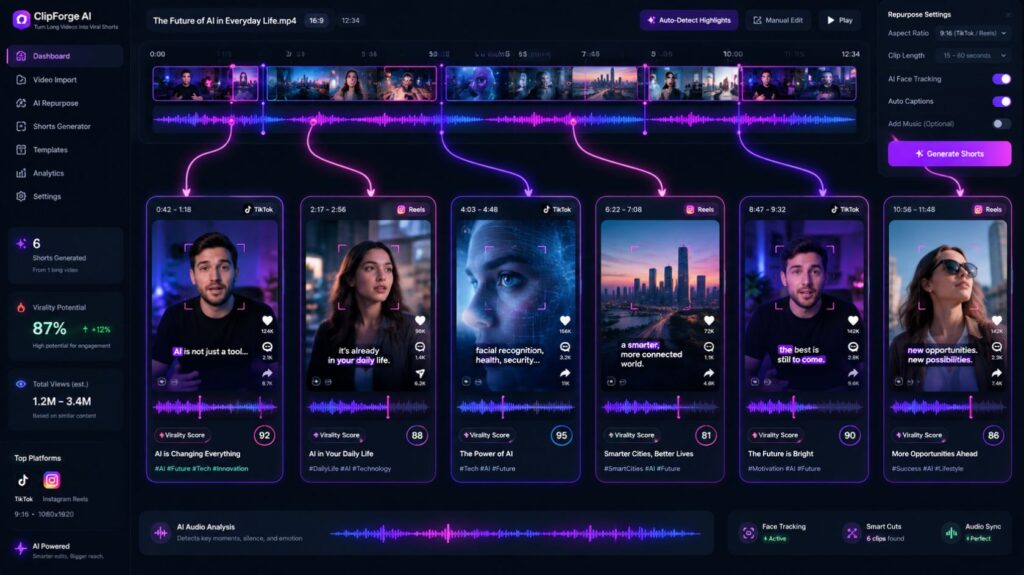
You just recorded a 45-minute YouTube video. Somewhere inside it are 6 moments that would perform well as Reels or Shorts. Finding them, cutting them, adding captions, and reformatting for vertical — that’s easily 2–3 hours of work.
Opus Clip does it in under 10 minutes.
What Is Opus Clip?
Opus Clip is an AI-powered video repurposing tool. You upload a long video, and it automatically identifies the most engaging segments, cuts them into short clips, adds captions, and formats them for TikTok, Instagram Reels, and YouTube Shorts.
Key Features
- AI Clip Selection Opus Clip’s AI watches your entire video and scores each segment for « virality potential » — based on hook strength, topic clarity, and pacing. It selects the best moments so you don’t have to manually scrub through hours of footage.
- Auto Captions Captions are generated and animated automatically. Word-by-word highlighting keeps viewers engaged — the style that performs best on short-form platforms. You can customize fonts, colors, and positioning.
- Auto Reframe The AI tracks the speaker and reframes horizontal video into vertical (9:16) format automatically. It follows movement, keeping faces centered without manual keyframing.
- Virality Score Each generated clip gets a score from 0–100 predicting its potential performance. Useful for prioritizing which clips to post first.
- Multi-Platform Export Export clips formatted and sized for TikTok, Reels, Shorts, and LinkedIn in one step.
Who Should Use Opus Clip?
- YouTubers who want to grow on short-form platforms without extra editing time
- Podcasters with video recordings wanting to clip highlights
- Coaches, educators, and speakers with long-form recorded content
- Social media managers repurposing client content across platforms
Less useful for creators who only produce short-form content originally.
Honest Take
The AI clip selection is genuinely impressive — not perfect, but impressive. About 60–70% of the clips it selects are usable with minimal or no editing. The remaining 30% need adjustments or can be discarded.
The auto-captions are accurate and look professional out of the box. The auto-reframe works well for talking-head content; it struggles more with multiple speakers or fast movement.
The free plan allows 60 minutes of video processing per month — enough to seriously test it on real content before upgrading.
The biggest value isn’t the AI magic — it’s the time saved. What used to take a full afternoon now takes a lunch break.
Pricing
| Plan | Price | Monthly Minutes |
|---|---|---|
| Free | $0 | 60 min |
| Starter | $15/month | 150 min |
| Pro | $29/month | Unlimited |
Final Verdict : 4.5/5
Opus Clip is one of the most practical AI tools available for video creators in 2026. If you have long-form content and want a short-form presence, it’s almost a no-brainer — especially with the free plan as an entry point.