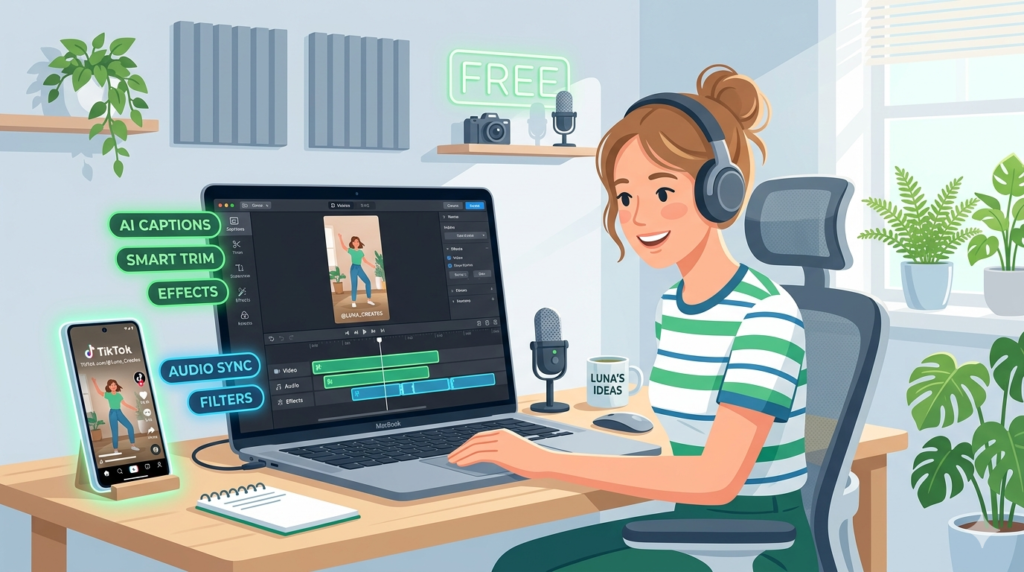
Creating TikTok content does not have to cost money. In 2026, some of the most powerful AI video editors are completely free or offer generous free plans that give creators everything they need to produce high-quality short-form videos. Whether you are just starting out or looking to cut costs, these free AI tools can help you edit faster and publish better content.
Why Free AI Editors Are Worth Using
Many creators assume that free tools come with too many limitations to be useful. That assumption is no longer true. Today’s free AI video editors offer features like automatic captions, smart trimming, background removal, and ready-made templates — all without paying a subscription fee.
For TikTok creators especially, the most important features are speed, simplicity, and mobile compatibility. Free tools like CapCut deliver all three, which is why they dominate the TikTok editing space.
The Best Free AI Video Editors for TikTok
CapCut — The Top Free Choice
CapCut is the most widely used free AI video editor among TikTok creators. It is available on mobile and desktop, and its free plan includes a strong set of AI features. You can generate automatic captions, remove backgrounds, enhance voice quality, add effects, and use pre-built templates designed specifically for short-form video.
The interface is clean and beginner-friendly, which means you do not need editing experience to produce polished videos. Most creators can go from raw footage to a finished TikTok clip in under ten minutes.
Best features on the free plan:
- Auto captions and subtitles.
- Background removal without a green screen.
- Built-in TikTok-style templates.
- Voice enhancement and noise reduction.
- Available on iOS, Android, and desktop.
VEED.io — Best Free Browser Editor
VEED.io offers a solid free plan for creators who prefer to edit in the browser without downloading software. The free version includes basic trimming, subtitle tools, and text overlays — enough for straightforward TikTok edits.
It is particularly useful when you are working on a shared device or need to edit quickly from any location. The interface is clean and accessible, and the subtitle tool works accurately without much manual correction.
Best features on the free plan:
- Browser-based with no download needed.
- Subtitle generation with good accuracy.
- Simple trimming and text tools.
- Easy export for social media formats.
DaVinci Resolve — Best Free Professional Option
For creators who want more power without the cost, DaVinci Resolve offers a professional editing environment completely free. It includes color grading, audio tools, and advanced editing features that rival paid software.
The learning curve is steeper than CapCut or VEED.io, but for creators who want to grow their skills and produce cinematic-quality TikTok content, it is one of the best free options available.
Best features on the free plan:
- Full professional editing suite.
- Advanced color correction tools.
- High-quality audio editing.
- No watermark on exported videos.
How to Get the Most from Free Tools
Free plans usually come with some limitations, but most creators never reach them. To get the best results from a free AI editor, focus on learning the core features well before exploring extras. Use templates to speed up your workflow, and take advantage of auto caption tools to save time on subtitles.
If you eventually outgrow the free plan, most of these tools offer affordable upgrades. But for a large number of TikTok creators, the free version is more than enough to build a consistent and professional content presence.
Final Thoughts
Free AI video editors have become genuinely powerful tools in 2026. CapCut leads the category for TikTok-specific workflows, VEED.io is the best browser-based option, and DaVinci Resolve is the strongest free choice for serious creators. Start with the tool that fits your workflow and grow from there.