
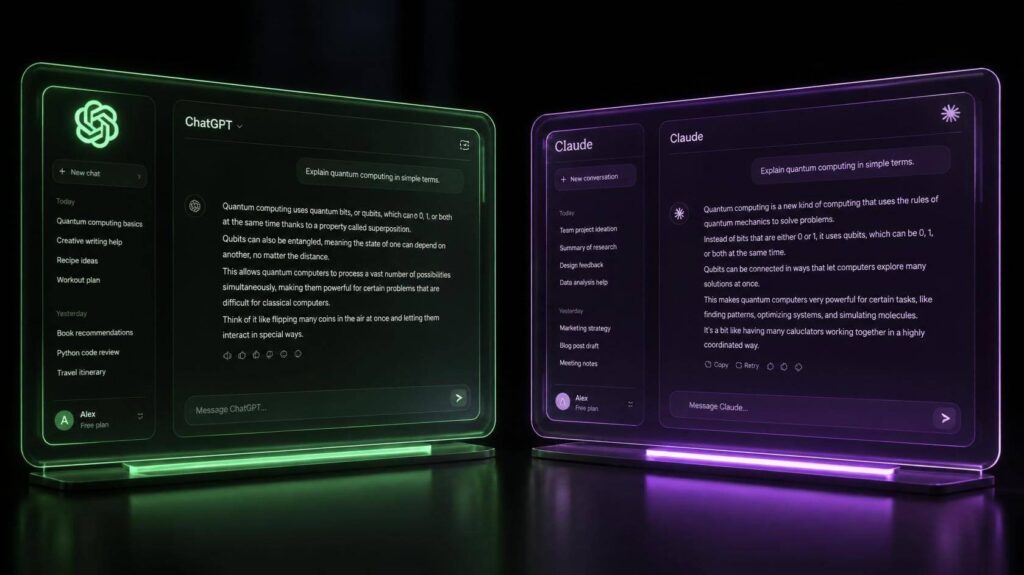
Let’s be honest: you don’t need another article telling you that ChatGPT vs Claude “depends on your needs.” You need someone to just tell you which one to open tomorrow morning when you sit down to write.
So here it is, up front. If most of your work is writing (blog posts, scripts, newsletters), go with Claude. If you want one app that writes, makes images, talks back in voice mode and does research, go with ChatGPT.
That’s the short version. The rest of this post explains why, and where each one will quietly frustrate you.
Table of Contents
ChatGPT vs Claude at a Glance
| ChatGPT | Claude | |
|---|---|---|
| Made by | OpenAI | Anthropic |
| Feels like | A Swiss Army knife | A sharp editor |
| Writing style | Tidy, structured, loves bullet points | Natural, closer to how people talk |
| Makes images | Yes | No |
| Long documents | Good | Excellent |
| Cheapest paid plan | $8/month (Go) | $20/month (Pro) |
Writing: Claude Sounds More Like a Person
This is the part that matters most if you write for a living, and it’s where the two feel most different.
Give both the same brief. Something simple, like a 1,000-word blog post in a relaxed, friendly tone. ChatGPT will hand you something clean and correct. It’ll also probably have five subheadings, three bullet lists and a closing line that starts with “In conclusion.” It reads fine. It just reads like AI.
Claude’s draft usually sounds more like a real first draft. The sentences vary in length. The tone holds from start to finish. You’ll still edit it, but you’ll spend your time improving ideas instead of stripping out robotic phrases.
Can you get ChatGPT to write like that? Yes, with good prompts and a few rounds of “less formal, fewer lists, please.” With Claude, you usually don’t have to ask.
One thing neither tool will do for you: sound like you. That part is still your job. If you want a simple process for it, I walk through one in our guide to the best AI writing tools for bloggers.
Winner: Claude.
Long Content and Editing: Claude Again
Here’s a situation most creators know. You’ve got a 4,000-word guide, and you want one section rewritten without the rest of it changing tone. Or you’ve got a style guide with fifteen rules, and you want every paragraph to follow them.
Claude is better at this kind of work. You can paste in a whole article, or a stack of your old posts, and it keeps track of the details. ChatGPT handles long documents too, but on really long pieces it has a habit of summarising when you asked it to rewrite, or quietly dropping one of your rules halfway through.
If you’re writing ebooks, long tutorials or doing serious edits on existing content, this alone is a good reason to pick Claude.
Winner: Claude.
Everything Else: ChatGPT Does More
Now the other side. Writing isn’t the only thing creators do all day, and this is where ChatGPT earns its place.
In one app, you can draft a YouTube script, generate an image to test a thumbnail idea, brainstorm out loud in voice mode while you’re walking, and run a deep research report on a topic you know nothing about. It also has agent features that can handle multi-step tasks for you. That’s a lot of tools you don’t have to pay for separately.
Claude can search the web, read your files and build documents or simple apps. But it can’t make images. If visuals are a big part of your content, you’ll need to pair it with something like Canva, which means one more subscription and one more tab.
Winner: ChatGPT.
ChatGPT vs Claude Pricing
Good news: this is closer than you’d think. Both have a free plan, and both charge $20 a month for the plan most people actually use.
| Plan | ChatGPT | Claude |
|---|---|---|
| Free | $0 (limited, may show ads) | $0 (limited daily use) |
| Budget | Go: $8/month (may show ads) | No budget tier |
| Standard | Plus: $20/month | Pro: $20/month, or $17/month if you pay yearly |
| Heavy use | Pro: $100 or $200/month | Max: $100 or $200/month |
My advice: don’t even look at the $100 plans until you’re hitting the limits on the $20 one several times a week. Most creators never get there.
So, Which One Is Right for You?
Forget the feature lists for a second and think about what fills your week.
- You mostly write blog posts or newsletters? Claude. You’ll edit less and sound more like yourself.
- You write YouTube scripts? Claude, especially for longer videos where tone and pacing matter.
- You live on social media? ChatGPT. Captions and images in the same place is a real time-saver.
- You run a faceless channel or do a bit of everything? ChatGPT. It covers more ground.
- You’re on a tight budget? Start with both free plans. If you need to pay, ChatGPT Go at $8 is the cheapest way in.
And plenty of creators end up using both: Claude for the writing, ChatGPT for images, research and everything around it. That’s not indecision. It’s just using each tool for what it’s good at.
Thinking about a paid writing tool instead? Read our Jasper AI review first. For most solo creators, ChatGPT or Claude does the job for less.
Questions People Usually Ask
Is Claude better than ChatGPT for writing?
For long, natural-sounding writing and editing, yes, most writers prefer it. For short copy, quick outlines and anything that needs images too, ChatGPT is just as good or better.
Can Claude make images?
No. It can look at images you upload and talk about them, but it can’t create them. ChatGPT can.
Are the free plans enough?
To try them out, absolutely. If you write every day, you’ll run into the limits fast on both. That’s usually the moment the $20 plan starts to feel worth it.
Should I pay for both?
Only if you genuinely use both every day. Otherwise, use the free plans for a week on your real work, and pay for the one whose drafts you edit the least.
My Final Take
If words are your main product, choose Claude. If you need one assistant for words, images and everything in between, choose ChatGPT.
Still not sure? Take one real task from your week, give it to both, and compare the drafts side by side. You’ll know within ten minutes.