
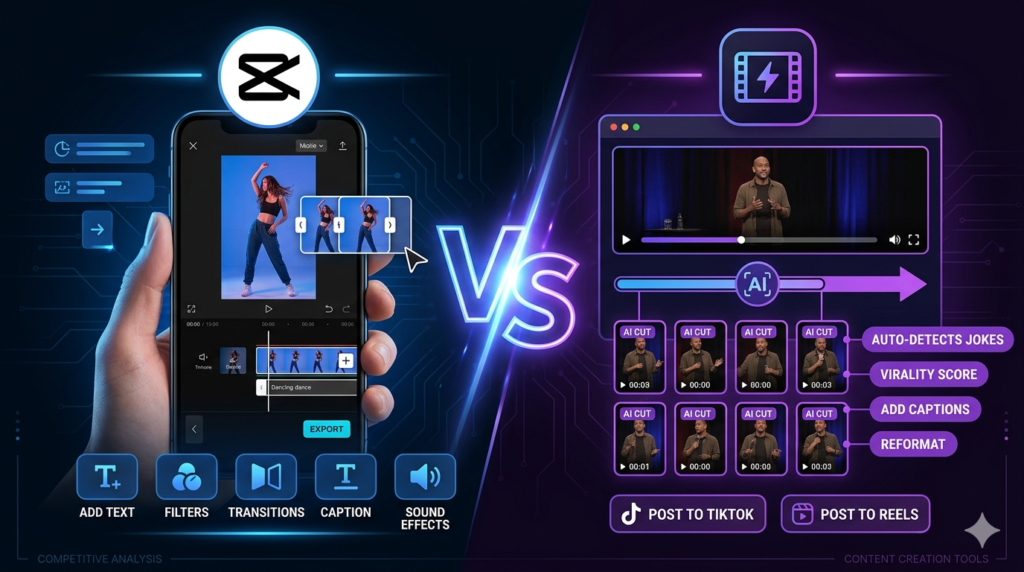
Two of the most talked-about AI video editing tools for TikTok right now are CapCut and OpusClip. Both are powerful, both are designed with short-form content in mind, and both use AI to make editing faster. But they serve very different purposes — and choosing the wrong one for your workflow can slow you down instead of speeding you up.
This article breaks down exactly what each tool does, where it excels, and which one is the better choice depending on how you create content.
What Is CapCut?
CapCut is a free AI-powered video editor built specifically for short-form content. It is available on mobile and desktop and is widely used by TikTok creators around the world. Its strength lies in hands-on editing — you import your footage, apply AI tools, and build your video manually with the help of smart features.
CapCut gives you full creative control. You decide every cut, every caption style, every effect, and every transition. The AI assists you, but you remain in charge of the final result.
What Is OpusClip?
OpusClip is an AI-powered repurposing tool. It is designed to take long videos — podcasts, webinars, interviews, YouTube videos — and automatically extract the best short clips from them. The AI analyzes the content, identifies the most engaging moments, formats them vertically, and adds captions automatically.
OpusClip is not a traditional editor. You do not manually build a video from scratch. Instead, you upload a long recording and let the AI do most of the work.
CapCut vs OpusClip: Side-by-Side
| Feature | CapCut | OpusClip |
|---|---|---|
| Primary Use | Manual editing with AI assist | Automatic clip extraction from long videos |
| Best For | Original short-form content | Repurposing long-form content |
| Ease of Use | Beginner-friendly | Very easy — mostly automated |
| Creative Control | Full control | Limited — AI makes most decisions |
| Auto Captions | ✅ Yes | ✅ Yes |
| Vertical Formatting | Manual | Automatic |
| Free Plan | ✅ Generous free plan | ✅ Limited free plan |
| Mobile App | ✅ Yes | ❌ Web-based only |
| Long Video Support | ❌ Not designed for this | ✅ Core feature |
| Templates | ✅ Many TikTok templates | ❌ No templates |
Where CapCut Wins
CapCut is the better choice when you are creating original content. If you film your own videos, record talking-head clips, or shoot footage specifically for TikTok, CapCut gives you the tools to shape that content exactly the way you want.
It is also the stronger option for creators who care about visual branding. You can customize fonts, colors, transitions, and effects to match a consistent style across all your videos. The mobile app makes it easy to edit on the go, and the free plan includes everything most creators need.
CapCut is best when you:
- Create original TikTok content from scratch.
- Want full control over the editing process.
- Need a mobile-friendly editing tool.
- Are building a specific visual brand or style.
- Want a powerful free tool with no learning curve.
Where OpusClip Wins
OpusClip is the better choice when your main challenge is repurposing. If you already produce long-form content — podcasts, YouTube videos, live streams, or webinars — and you want to turn that content into TikTok clips without hours of manual editing, OpusClip is the most efficient tool available.
The AI clip scoring feature is particularly useful. It rates each extracted clip by its estimated viral potential, so you can prioritize the best content without watching every second of the original video yourself.
OpusClip is best when you:
- Have long videos you want to repurpose into TikTok clips.
- Want a mostly automated editing workflow.
- Run a podcast, YouTube channel, or webinar series.
- Need to produce a high volume of clips quickly.
- Want AI to identify the best moments for you.
Can You Use Both Together?
Yes — and many creators do. A common workflow is to use OpusClip to extract the best moments from a long recording, then import those clips into CapCut for final polish, caption styling, and any additional effects. This combines the automation of OpusClip with the creative control of CapCut.
This two-step workflow is especially useful for creators who want high output without sacrificing quality. OpusClip handles the heavy lifting, and CapCut handles the finishing touches.
Which One Should You Choose?
The answer depends entirely on your content type:
- If you create original short-form content → Choose CapCut.
- If you repurpose long-form content → Choose OpusClip.
- If you do both → Use both tools together.
There is no universally better option between the two. They solve different problems. The mistake many creators make is using a repurposing tool when they need an editor, or trying to manually edit when an AI tool could do it automatically.
Final Thoughts
CapCut and OpusClip are two of the most valuable AI tools for TikTok creators in 2026, but they are built for different workflows. CapCut gives you speed, flexibility, and creative control for original content. OpusClip gives you automation and efficiency for repurposing long recordings.
Understand how you create content, match it to the right tool, and your TikTok workflow will become significantly faster and more consistent.