Every YouTuber hits this moment. You spend a week on a video, upload it, refresh the stats… and nothing. 43 views. You start wondering what everyone else knows that you don’t.
VidIQ is built for exactly that question. In this VidIQ review, I’ll be straight with you about what it can and can’t do, because no tool can fix a video people don’t want to watch. What it can do is stop you guessing.
Quick verdict: for small and growing channels, VidIQ is one of the most useful tools you can add, and the free plan is a genuinely good place to start. Big channels with an established strategy may get less out of it.
Table of Contents
What VidIQ Actually Does
VidIQ is a YouTube research and growth tool. It runs as a browser extension and a web dashboard. It shows you what people are searching for, how competing videos perform, and what you could change on your own channel. More and more of it now runs on AI, which is where the credits come in.
The Features Worth Paying Attention To
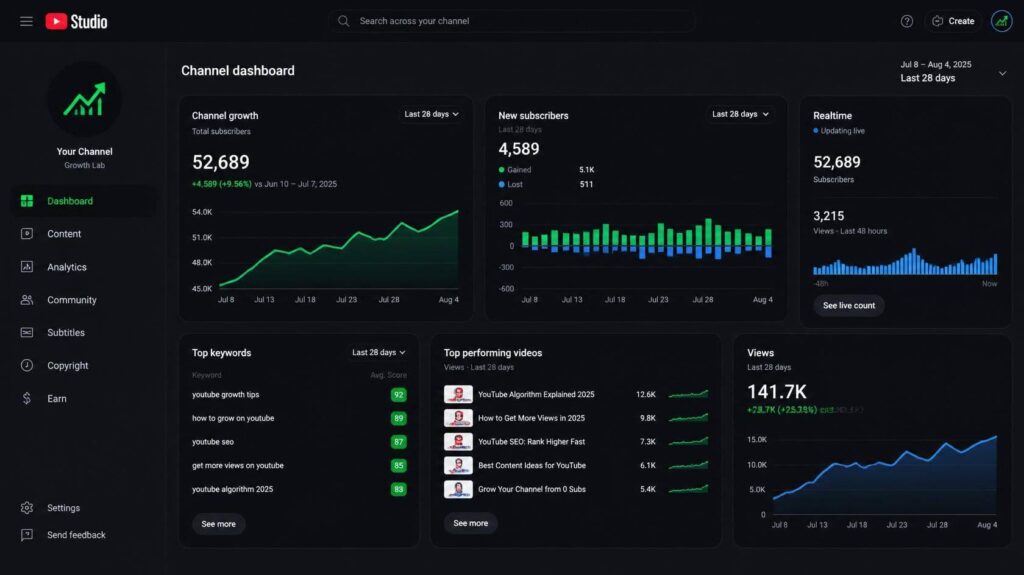
Keyword research. Type a topic and VidIQ shows you related searches, how much competition there is, and which ideas might be easier to rank for. This is the part most small channels need most: picking topics people already search for.
Competitor insights. While you browse YouTube, the extension shows stats on other people’s videos: views per hour, tags and more. It’s a fast way to understand why a video in your niche is taking off.
AI Coach. You chat with it about your channel, and it gives suggestions based on your actual videos, not generic advice. Use it as a sounding board, not a boss.
Daily ideas and trends. Video ideas tailored to your niche, refreshed regularly. Great for the days when you sit down and have nothing.
Thumbnail and title help. On paid plans you get tools to generate and test packaging ideas, which is often where small channels lose the most clicks.
Pros and Cons
| What I like | What to watch out for |
|---|---|
| Takes the guesswork out of picking topics | It can’t make a weak video perform |
| Free plan is genuinely useful | So much data that it feels overwhelming at first |
| AI Coach gives channel-specific suggestions | AI features run on credits that can run out |
| Competitor stats right inside YouTube | Less valuable for big, established channels |
VidIQ Pricing in 2026
VidIQ has reshuffled its plans. The old $7.50 “Pro” tier you’ll still see in older reviews is gone. Today the plans are built around monthly AI credits.
| Plan | AI credits per month | Price | Good for |
|---|---|---|---|
| Free | 150 | $0 | Trying it and light research |
| Boost | 2,000 | About $199/year when billed yearly | Channels publishing every week |
| Max | 6,000, plus Max Mode and short clipping | About $39/month when billed yearly | Serious creators who use the AI tools daily |
My advice: stay on the free plan until you’re uploading consistently. Once you’re publishing every week and running out of credits, that’s the moment Boost pays for itself.
Who Should Use VidIQ
- Channels under 50K subscribers trying to work out what to make next
- Creators who post consistently but aren’t growing
- Anyone who wants to check search demand before filming
If you already get most of your views from suggested videos and have a clear strategy, VidIQ will feel more like a nice extra than a must-have.
VidIQ vs TubeBuddy, in One Paragraph
VidIQ is stronger for research and deciding what to make. TubeBuddy is stronger for managing and testing what you’ve already made, especially with A/B tests for titles and thumbnails. We go deeper in VidIQ vs TubeBuddy.
VidIQ Review: Common Questions
Is VidIQ free?
Yes. The free plan gives you 150 AI credits a month plus core research tools. Most beginners can stay on it for a while.
Does VidIQ really increase views?
Not by itself. It helps you choose better topics and package videos better. If you act on what it shows you, your chances go up. If you don’t, nothing changes.
Is VidIQ safe to use?
Yes. It’s a long-running, widely used tool that connects to YouTube through the official sign-in.
My Final Verdict: 4.6/5
VidIQ won’t do the work for you. A badly made video with perfect SEO still flops. But a good video aimed at a topic people actually search for? That’s where VidIQ makes a real difference.
Install the free version, use it for your next three uploads, and see if your topic choices get sharper. That’s the honest test.